When most business owners hear “video marketing,” they picture short clips on social media, trending audio, and the pressure to post something new every few days. That kind of video has its place. But for many service businesses, some of the most valuable video work happens somewhere else entirely.
The videos that often matter most are the ones that live on your website and inside your sales process. A short welcome on your homepage. A two-minute explanation of how your services work. A friendly walkthrough of a proposal. A welcome message for a brand-new client. These videos don’t need to go viral. They need to help one specific person feel more confident about working with you.
And that’s exactly why they work. When a prospect is deciding whether to reach out, hearing your voice and seeing your face can answer a question no paragraph of text can fully answer: “What would it actually be like to work with this person?”
Why Website Video Builds Trust So Effectively
Text tells people what you do. Video shows them who you are. For service businesses, where the relationship is a big part of what clients are buying, that difference is significant.
| Text Alone | Text Plus Video |
| Explains your services | Explains your services and shows your personality |
| Prospects imagine what you’re like | Prospects see and hear what you’re like |
| Trust builds over several touchpoints | Trust can start building in a couple of minutes |
| Hard to convey warmth or tone | Warmth and tone come through naturally |
| First real impression happens on a call | First real impression happens before the call |
Insider Tip from Andrea: The goal of a website video isn’t to impress anyone. It’s to make the first conversation feel like a second one. When a prospect has already heard your voice and seen how you explain things, they show up to the call already halfway comfortable.
The Website and Sales Videos Worth Making
You don’t need dozens of videos. A handful of short, purposeful ones placed in the right spots can make a noticeable difference.
1. A Welcome Video for Your Homepage or About Page
This is a short introduction, usually one to two minutes, that tells visitors who you are, who you help, and what makes your approach different. Speak as if you’re greeting someone who just walked into your office.
What to cover:
- A warm hello and your name
- Who you help and the problem you solve
- One or two sentences about how you work
- An invitation to take the next step
If your About page needs attention before you add video, How to Write an About Page That Actually Wins You Clients is a good place to start.
2. A Services Explainer Video
A short video on your services page can walk prospects through your offers, explain who each one is for, and describe what working together looks like. It’s especially helpful if your services take a little explaining or if prospects often ask the same questions about them.
Pair it with clear written descriptions rather than replacing them. Some people prefer to watch, others prefer to read, and search engines rely on the text. Your Services Page Is Where Prospects Decide. Here’s How to Write It. covers the written side.
3. Short FAQ Answer Videos
Think about the questions you answer on nearly every discovery call. How long does a project take? What do you need from me? What happens if I’m not happy? Recording a 30 to 90-second answer to each one can save time and build trust before a prospect ever contacts you.
Where FAQ videos work well:
- Alongside the written answer in an FAQ section
- On the services page, next to the relevant offer
- In follow-up emails, when a prospect asks a question you’ve already recorded
For structuring the written side of your FAQ, see our guide on how to set up FAQ sections for search ranking.
4. Proposal Walkthrough Videos
Instead of sending a proposal and hoping it gets read carefully, record a short video walking the prospect through it. Explain your recommendation, highlight the parts that matter most to them, and answer questions you expect them to have.
A personalized walkthrough shows effort, reinforces that you listened, and gives decision-makers who weren’t on your call a chance to hear from you directly. Your Proposal Isn’t a Price Sheet. Here’s What It Should Actually Say. explains what the proposal itself should include.
5. An Onboarding Welcome Video
The days right after someone signs can be filled with a little uncertainty. A short welcome video that explains what happens next, what you’ll need from them, and how to reach you can make new clients feel cared for from the very beginning.
This video can be recorded once and sent to every new client, which makes it one of the most efficient trust-builders you can create. Your Onboarding Is a Marketing Asset explores why that early experience matters so much.
6. Client Story Videos
If a happy client is willing, a short video conversation about their experience can be one of the most persuasive things on your website. Keep it natural, focus on what changed for them, and always get clear permission before sharing it.
If video feels like too much for a client, a written story works well too. How to Write a Case Study That Actually Sells Your Services walks through the process.
Where Each Video Belongs
| Video | Best Placement | Ideal Length |
| Welcome | Homepage or About page | 1 to 2 minutes |
| Services explainer | Services page | 2 to 3 minutes |
| FAQ answers | FAQ section, services page, follow-up emails | 30 to 90 seconds each |
| Proposal walkthrough | Sent with each proposal | 3 to 5 minutes |
| Onboarding welcome | Welcome email or client portal | 2 to 3 minutes |
| Client story | Services page, case study page | 1 to 3 minutes |
Start with whichever one addresses your biggest bottleneck. If prospects hesitate before reaching out, start with the welcome video. If proposals stall, start with the walkthrough.
How to Film Without a Production Budget
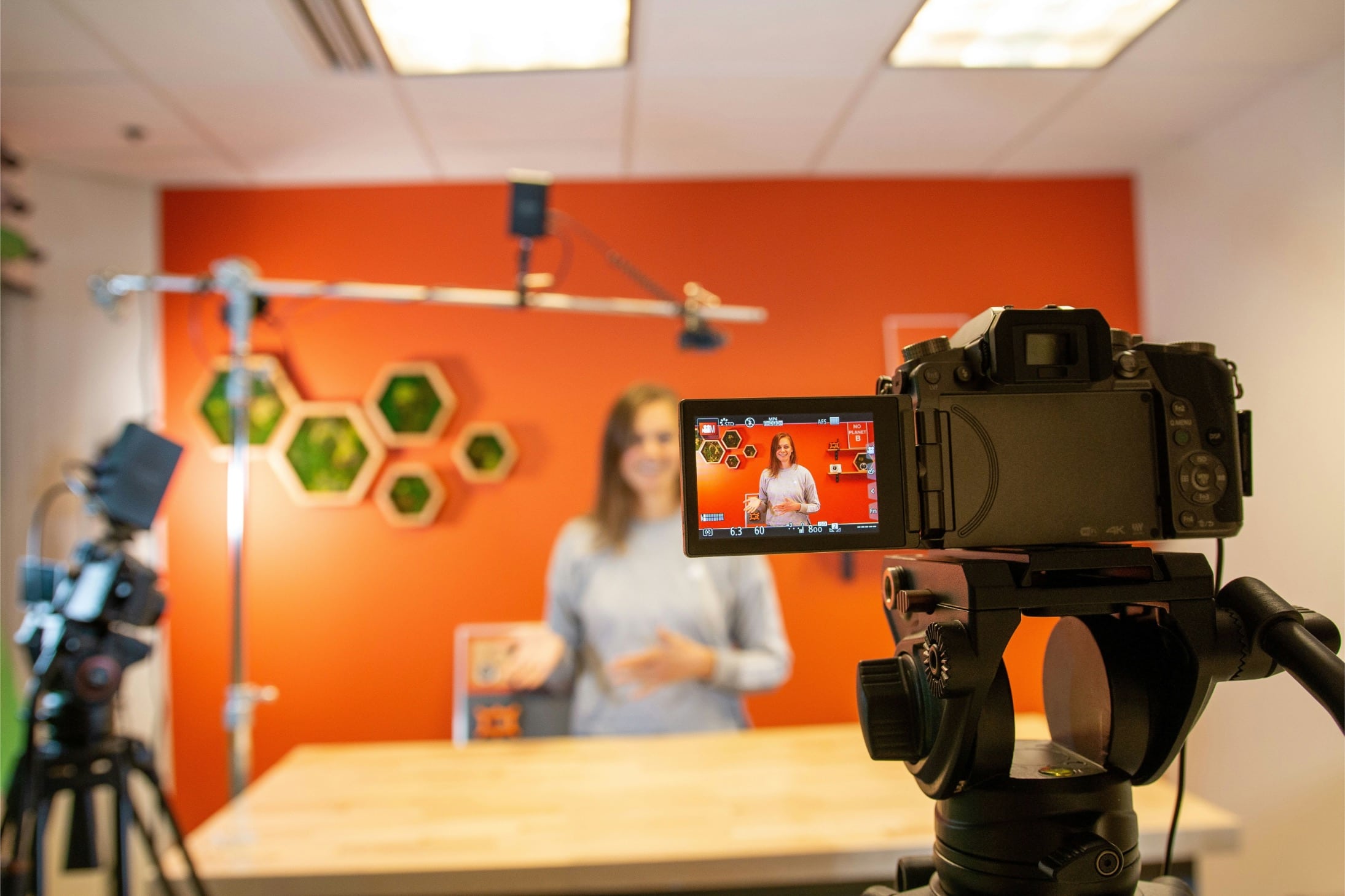
You don’t need a studio or a film crew. Prospects want to see the real you, and a simple, well-lit, clearly recorded video feels more authentic than an overly polished production.
The basics that matter most:
- Light. Face a window or use a simple light in front of you. Avoid sitting with a bright window behind you.
- Sound. Clear audio matters more than perfect video. An inexpensive external microphone makes a noticeable difference.
- Framing. Position the camera at eye level, with your head and shoulders in the frame.
- Background. Choose a tidy, simple space that doesn’t distract.
- Stability. Use a stand or tripod instead of holding your phone or laptop.
Tips for speaking on camera:
- Outline, don’t script. Write down your key points, then speak naturally.
- Talk to one person. Imagine you’re explaining this to a specific client you like.
- Keep it short. If you can say it in two minutes, don’t stretch it to five.
- Record a few takes. Your second or third attempt is often the most relaxed.
Batch Your Recording to Save Time
Recording videos one at a time, whenever you remember to, makes the process feel bigger than it is. Setting aside a single block of time to record several videos at once is far more efficient.
A simple batching session:
- Choose three to five videos you want to create, such as a welcome video and a handful of FAQ answers.
- Outline each one with three key points before you start.
- Set up your space once, with lighting, sound, and framing ready to go.
- Record them back to back, taking a short break between each.
- Add captions and publish over the following week.
Most people find that once their setup is ready, recording feels much easier. One focused afternoon can give you a library of videos that keep working for months.
Make Your Videos Accessible
Every video on your website should be usable by everyone, including people who are deaf or hard of hearing and people watching with the sound off.
Did You Know? The Web Content Accessibility Guidelines (WCAG), the widely used standard for accessible websites, require captions for prerecorded video with audio at the most basic level of conformance. Captions help people with hearing loss, and they also help anyone watching in a busy or noise-sensitive setting.
Accessibility essentials:
- Add accurate captions to every video, and review automatic captions for errors
- Provide a transcript or a written summary near the video
- Avoid autoplay with sound, which can be disruptive and confusing
- Make sure the video player can be controlled with a keyboard
- Don’t rely on video alone for important information
If accessibility is new territory for you, our 3-minute guide to WCAG standards is a helpful, quick introduction.
Use Video in Your Follow-Up Emails
Your website isn’t the only place these videos can help. Many of them work just as well inside the emails you’re already sending.
- After a discovery call, send a short personal video recapping what you heard and what happens next.
- When a prospect asks a common question, reply with the FAQ video you’ve already recorded.
- When a proposal is waiting for a decision, a brief, friendly check-in video can feel warmer than another written reminder.
- After a project wraps, a quick thank-you video adds a personal touch to your offboarding.
Keep these short and personal. A one-minute video that uses someone’s name and references your conversation will usually be more memorable than a polished, generic one.
Keep Your Website Fast
Video files are large, and uploading them directly to your website can slow pages down. Slow pages frustrate visitors and can affect how your site performs in search.
Simple ways to keep things fast:
- Host videos on a dedicated video platform and embed them on your site
- Use a clear thumbnail image so the video only loads when someone clicks play
- Limit the number of videos on any single page
- Test your page speed after adding video to make sure it still loads quickly
What Not to Do
These common mistakes make website videos less effective.
- Don’t aim for perfection. A genuine, slightly imperfect video builds more trust than a stiff, polished one.
- Don’t make it too long. Respect your viewer’s time.
- Don’t replace your written content. Video should support your text, not replace it.
- Don’t skip captions. They’re essential for accessibility and helpful for everyone.
- Don’t let videos go stale. Update them when your services, pricing, or process change.
How to Know Your Website Videos Are Working
Look for these signs once your videos are live.
- Prospects mention your videos on discovery calls
- Longer time on page where videos are placed
- More inquiries from pages with video compared with before
- Fewer repeated questions that your FAQ videos already answer
- Faster proposal decisions after you start sending walkthrough videos
Track one or two of these for a few months, and adjust based on what you see.
Where to Start
Choose one video that addresses your biggest bottleneck right now. For most service businesses, that’s a short welcome video for the homepage or About page. Outline three points, set up near a window, and record a two-minute introduction this week. Add captions, place it on your site, and see how prospects respond.
If you’re not sure which part of your website needs attention first, take our free Stage Assessment to see what your business needs next. If you’d like help planning website videos that support your sales process, book a free strategy session and we’ll map it out together. And to make sure more of the right people find your website in the first place, grab the Get Found Faster Checklist.
A few minutes of video can make the first conversation feel like you’ve already met. That’s a powerful head start.