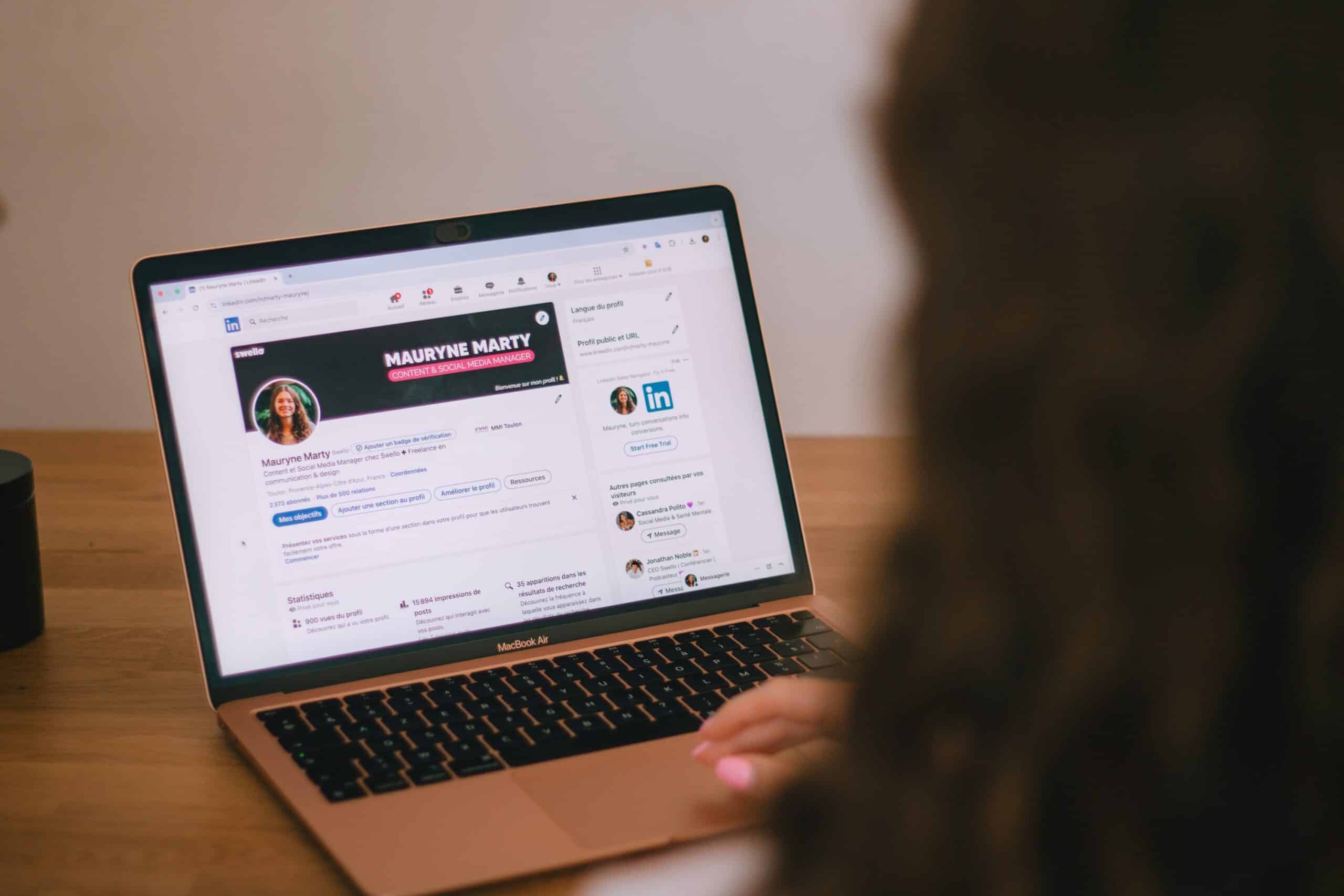
Someone just heard your name. Maybe a past client recommended you, maybe they caught you on a podcast, or maybe your name came up in a conversation at a networking event. Before they ever visit your website, there’s a good chance they’ll do something else first: search for you on LinkedIn.
What they find there shapes their first impression. And for many service business owners, what they find is a profile that hasn’t been touched in years. A job title from a previous career, a headline that lists credentials, an empty About section, and a photo from a conference in 2019. It reads like a résumé for a job you’re not applying for.
That’s a missed opportunity. Your LinkedIn profile can work like a second About page, one that shows up in search results, carries the weight of your professional network, and gives a curious prospect a clear reason to reach out. With a few focused changes, it can turn a casual lookup into a real conversation.
Why Your LinkedIn Profile Matters for a Service Business
Even if you rarely post on LinkedIn, your profile is often one of the first places people check when they’re deciding whether to trust you. It’s especially important for service businesses that rely on referrals, partnerships, and professional credibility.
Did You Know? LinkedIn reports more than one billion members worldwide, making it the largest professional network in the world. Your profile also tends to rank well when someone searches your name online, which means it’s frequently one of the first things a prospect sees about you.
| Résumé-Style Profile | Client-Focused Profile |
| Lists your job title and credentials | Explains who you help and how |
| Written for recruiters | Written for potential clients |
| Describes your career history | Describes the problems you solve |
| Ends without a next step | Makes it easy to contact you or book a call |
| Looks the same as everyone else’s | Sounds like you |
Insider Tip from Andrea: Most people read your LinkedIn profile to answer one question: “Should I talk to this person?” Write every section with that question in mind, and your profile will start doing real work for your business.
Step 1: Start With a Professional, Approachable Photo
Your photo is the first thing people notice, and it sets the tone for everything else. It doesn’t need to be expensive, but it should be current, clear, and friendly.
What makes a strong profile photo:
- Recent, so you look like the person who shows up on a video call
- Well lit, ideally with natural light facing you
- Focused on your face, with your head and shoulders filling most of the frame
- Simple background, without distracting details
- Approachable expression, since you’re inviting people to work with you
Your banner image, the wide image behind your photo, is also valuable space. Use it to reinforce what you do, with a simple line of text, your website, or an image that reflects your brand.
Step 2: Rewrite Your Headline Around Who You Help
Your headline appears next to your name almost everywhere on LinkedIn, including search results, comments, and messages. By default, it shows your job title, but you can write anything you like, up to 220 characters.
A strong headline tells people who you help and what result you help them achieve.
| Weak Headline | Stronger Headline |
| “Owner at Smith Consulting” | “Helping independent therapists fill their calendars without paid ads” |
| “Marketing Professional, MBA” | “Marketing strategy for service businesses ready to grow without burning out” |
| “Graphic Designer” | “Brand design for small businesses that want to look as good as their work” |
A simple formula to start with:
I help [who you serve] [achieve what result] [through what approach or without what frustration].
You can refine the wording from there, but this structure makes it clear in seconds whether someone is in the right place.
Step 3: Write an About Section That Speaks to Your Client
The About section is the most underused part of most LinkedIn profiles. You have up to 2,600 characters, but only the first few lines show before a reader clicks “see more.” Those opening lines need to earn the click.
A simple structure that works:
- Open with your client’s problem. Describe the frustration or goal your ideal client recognizes immediately.
- Explain how you help. Share your approach in plain language.
- Add a little credibility. Mention your experience, the types of clients you serve, or a notable result.
- Show some personality. One or two sentences about what you value or how you work.
- End with a clear next step. Tell people exactly how to reach you or what to do next.
Write in the first person, as if you’re speaking directly to a potential client. A LinkedIn About section that sounds like a real person is far more inviting than one written in formal third person.
If you’d like a deeper guide to this kind of writing, How to Write an About Page That Actually Wins You Clients uses many of the same principles.
Step 4: Use the Featured Section to Show Your Work
The Featured section sits near the top of your profile and lets you highlight links, posts, documents, and media. It’s one of the best places to give visitors a reason to take the next step.
What to feature:
- Your website or booking page, so prospects can learn more or schedule a call
- A free resource, like a checklist or assessment
- A case study that shows the kind of results you help clients achieve
- Podcast episodes or interviews where you share your expertise
- Your best articles that answer common client questions
Keep it to three to five items, and choose the ones most likely to move a prospect closer to working with you. If you don’t have case studies yet, How to Write a Case Study That Actually Sells Your Services walks through how to create one.
Step 5: Update Your Experience Section
Your Experience section doesn’t need to read like a résumé either. For your current business, describe what you do for clients rather than listing your responsibilities.
For your current role:
- Use your business name and a clear title, like “Founder” or “Owner”
- Write a short description of who you serve and the services you offer
- Add links or media that show your work
For past roles:
- Keep descriptions brief
- Highlight experience that supports your credibility in your current work
- Remove details that no longer serve your story
If you changed careers to start your business, your past experience can still be valuable. Frame it in a way that explains why you’re especially qualified to help your clients now.
Step 6: Collect Recommendations From Clients
Recommendations are LinkedIn’s version of testimonials, and they appear directly on your profile with the recommender’s name and photo. That visibility makes them especially credible.
How to gather strong recommendations:
- Ask recent, happy clients, while their experience is fresh
- Make it easy by suggesting what they might mention, like the problem you solved or what it was like to work with you
- Ask referral partners and collaborators who’ve seen your work up close
- Offer to write one in return for peers you genuinely respect
Aim for a handful of specific recommendations rather than many vague ones. If asking still feels uncomfortable, How to Ask for a Testimonial Without Making It Weird offers simple wording you can adapt for LinkedIn.
Step 7: Make It Easy to Contact You
A great profile loses its value if a prospect can’t figure out how to reach you. Make your contact information and next steps obvious.
Check that your profile includes:
- Your website link in your contact information and Featured section
- A clear call to action at the end of your About section
- Your email address, if you’re comfortable sharing it
- A booking link, if you offer free consultations
The easier it is to take the next step, the more likely someone is to take it.
Keep Your Profile and Website Telling the Same Story
Prospects often move back and forth between your LinkedIn profile and your website before deciding to reach out. If the two describe your business differently, it can create confusion at exactly the wrong moment.
Make sure both places match on:
- Who you serve. Use the same description of your ideal client.
- What you offer. Name your services the same way in both places.
- How you sound. Your tone should feel consistent, whether someone reads your headline or your homepage.
- Your next step. Point people toward the same booking link or contact method.
Consistency builds confidence. When a prospect sees the same clear message in two places, it reinforces that you know exactly who you help and how.
A Quick LinkedIn Profile Checklist
Use this to review your profile in one sitting.
| Section | Ask Yourself |
| Photo | Is it recent, clear, and friendly? |
| Banner | Does it reinforce what I do? |
| Headline | Does it say who I help and how? |
| About | Do the first three lines speak to my ideal client? |
| Featured | Does it give visitors a clear next step? |
| Experience | Does my current role describe what I do for clients? |
| Recommendations | Do I have a few specific, recent ones? |
| Contact info | Can someone reach me in one or two clicks? |
What Not to Do
These common mistakes make LinkedIn profiles less effective.
- Don’t leave your old job title as your headline. It confuses people about what you do now.
- Don’t write in formal third person. It creates distance instead of connection.
- Don’t list every credential. Focus on what matters to your clients.
- Don’t let your profile go stale. Review it every few months, especially when your services change.
- Don’t make it all about you. Every section should help a prospect understand how you can help them.
If your website has the same problem, Your Website Reads Like a Resume. That’s the Problem. explains how to shift the focus there too.
Do You Need to Post on LinkedIn?
A strong profile works even if you rarely post. That said, sharing occasional, useful content can increase how often people see your name and visit your profile. If LinkedIn is where many of your ideal clients spend time, consider posting once a week or sharing your blog posts there.
Not sure whether LinkedIn deserves more of your attention than other platforms? Our guide to choosing the right social media platform for your business can help you decide where to focus.
How to Know Your Profile Is Working
Watch for these signs after you update your profile.
- More profile views, which LinkedIn shows you in your dashboard
- Connection requests from potential clients or referral partners
- Messages that reference your headline or About section
- Clicks to your website from LinkedIn, visible in your website analytics
- Prospects mentioning your profile on discovery calls
Where to Start
Open your LinkedIn profile and look only at your headline and the first three lines of your About section. If a potential client read just those, would they know who you help and why they should reach out? If not, start there. Those two updates alone can change how people respond to your profile.
If you’re not sure which part of your online presence needs attention first, take our free Stage Assessment to see what your business needs next. If you’d like help rewriting your LinkedIn profile, website, or bio so they work together, book a free strategy session and we’ll map it out together. And to make sure people can find you beyond LinkedIn, grab the Get Found Faster Checklist.
People are already looking you up. Make sure what they find gives them a reason to reach out.